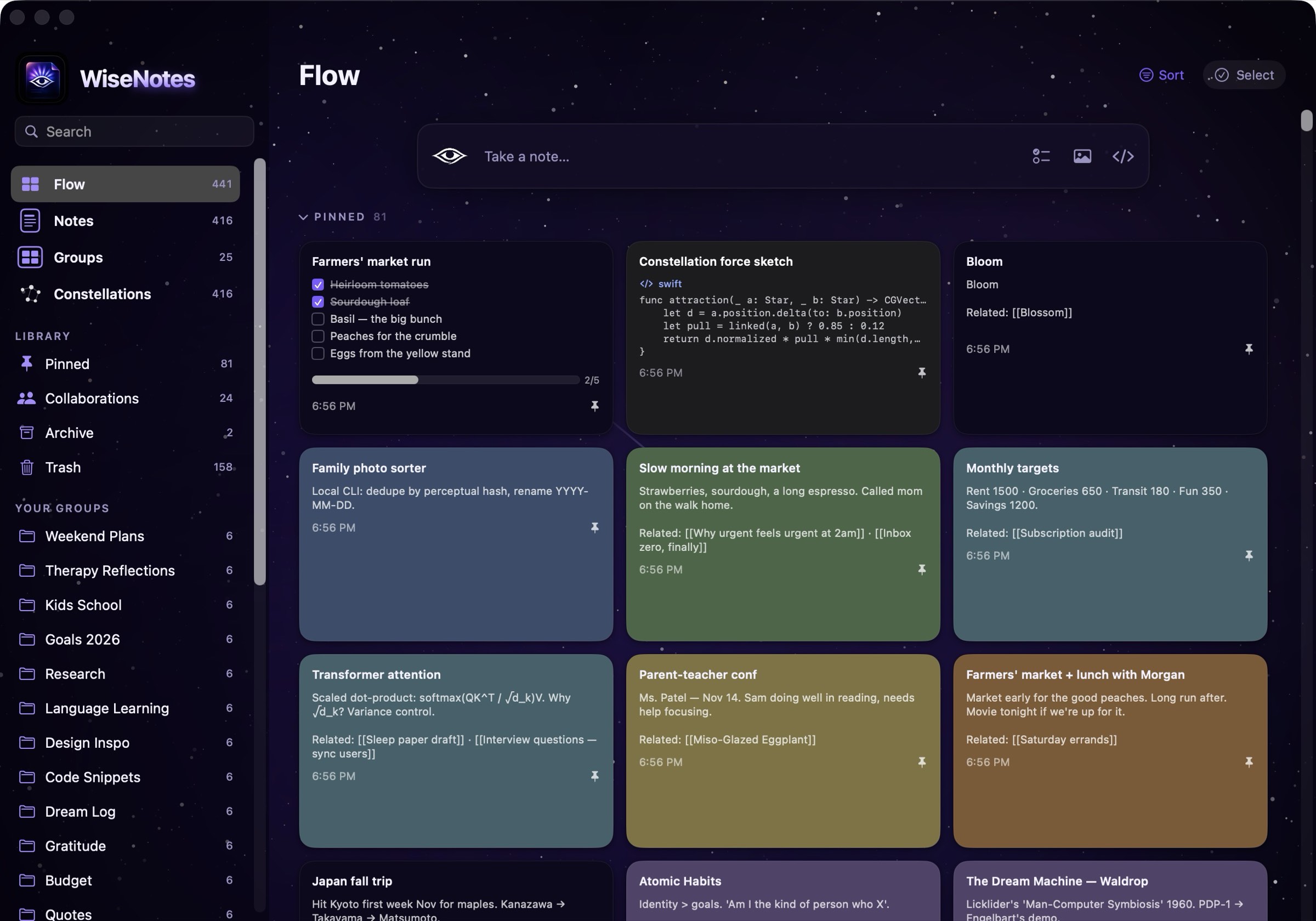
Your Knowledge, Connected
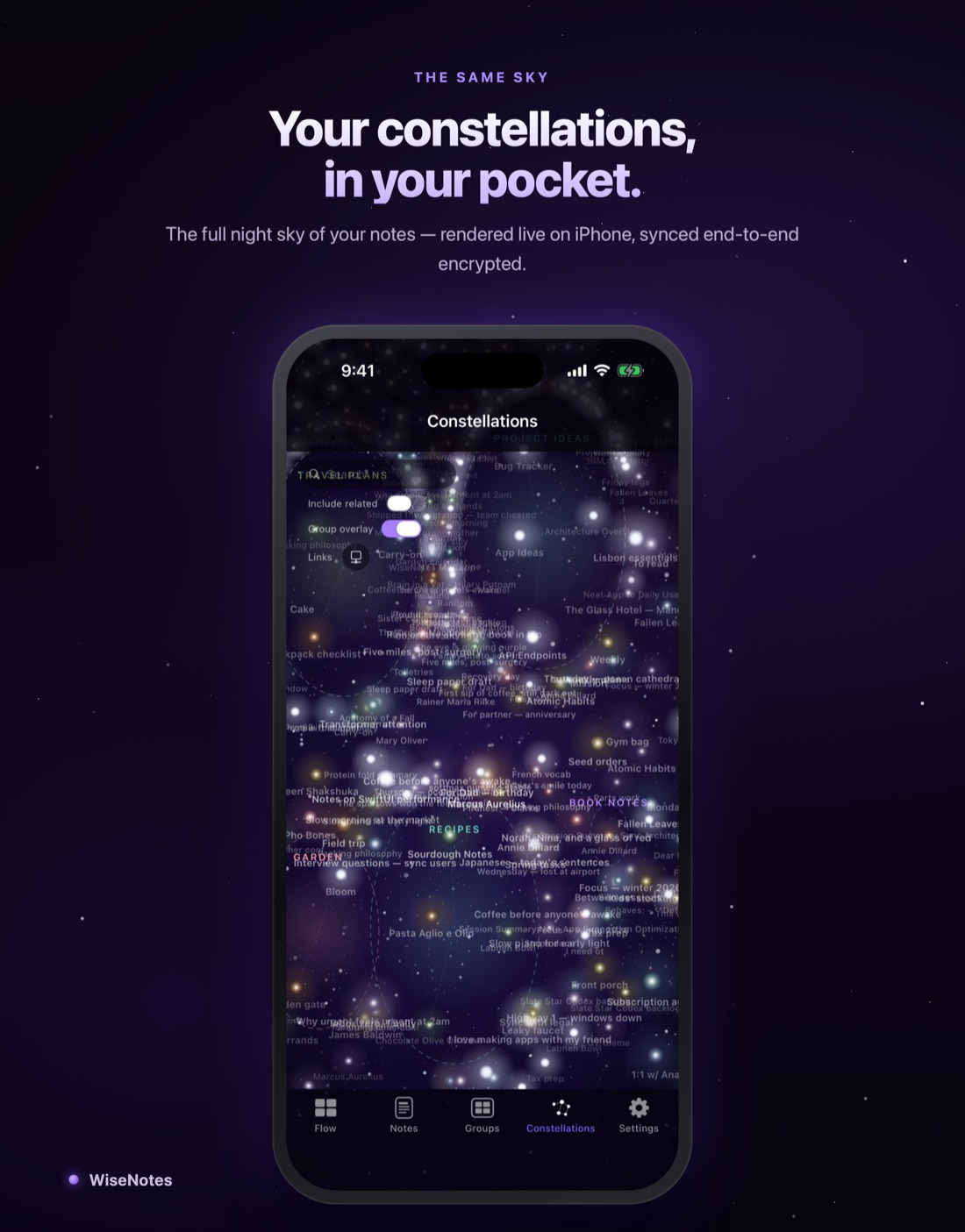
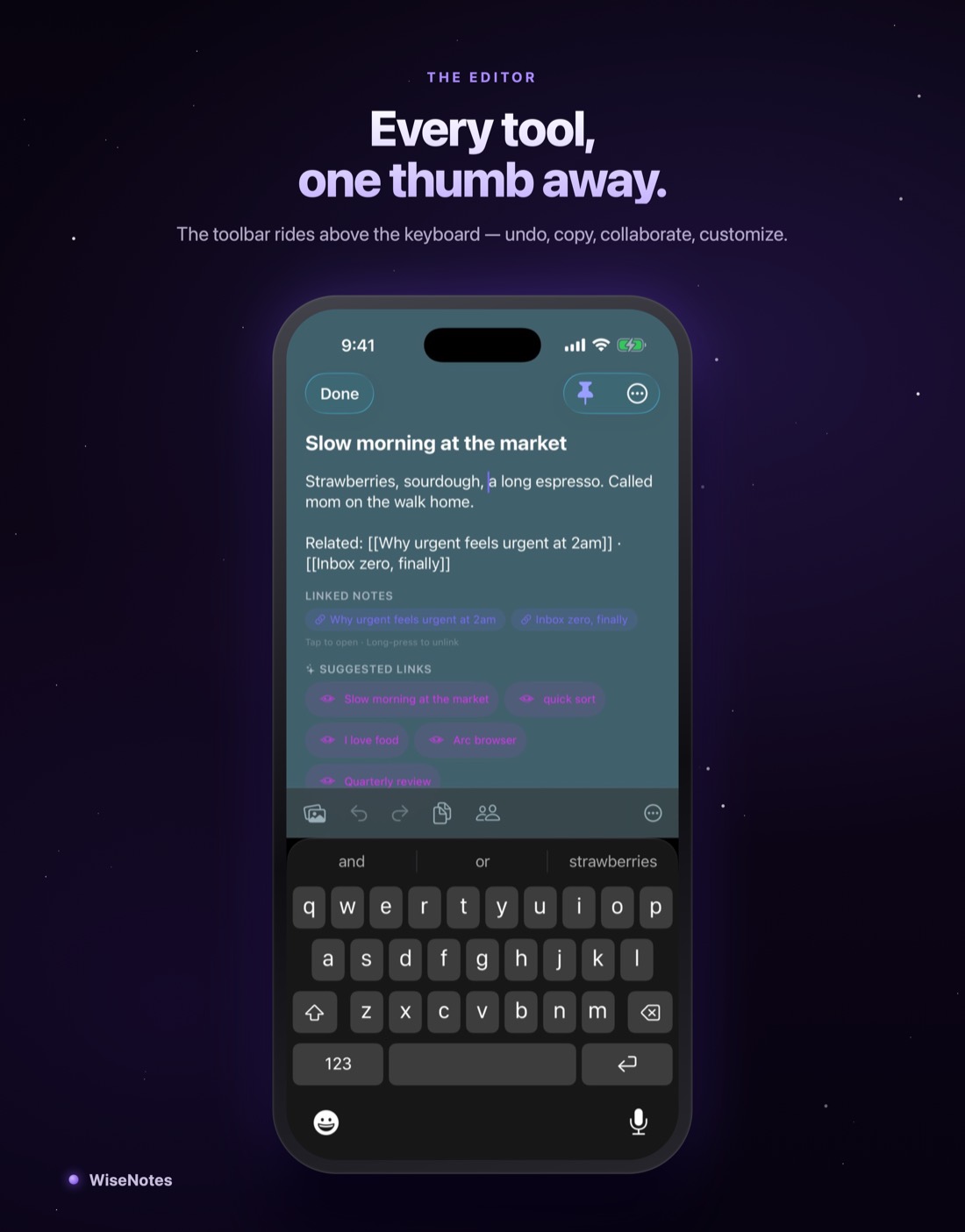
The eye suggests links as you write, and Constellations turns your library into a living map of how your ideas relate.
 WiseNotes
Get notified
WiseNotes
Get notified
WiseNotes reveals the relationships between your notes — and keeps every word end-to-end encrypted, readable by no one but you. No account. No email. A recovery phrase is your key.
Launch news only — no spam, ever. Want in early? Ask for TestFlight access.
Explore FeaturesThe eye suggests links as you write, and Constellations turns your library into a living map of how your ideas relate.
End-to-end encrypted, no account, no email — a recovery phrase is your entire identity. One-tap backups and full export: your notes are always yours to take.
Add a device by showing it a six-character code. Edits appear on your other devices live — directly over your network when they're nearby.
Share a single note with people you choose. Each shared note has its own key — only the people you invite can read it.
Tick a box on your Mac and watch it check itself on your iPhone. Lists, groups, labels, colors, reminders — all synced live.
A built-in logic toolbar (∀ ∃ → ∴ ¬ ∧ ∨) for arguments and proofs, wikilinks, backlinks, and a customizable editor.
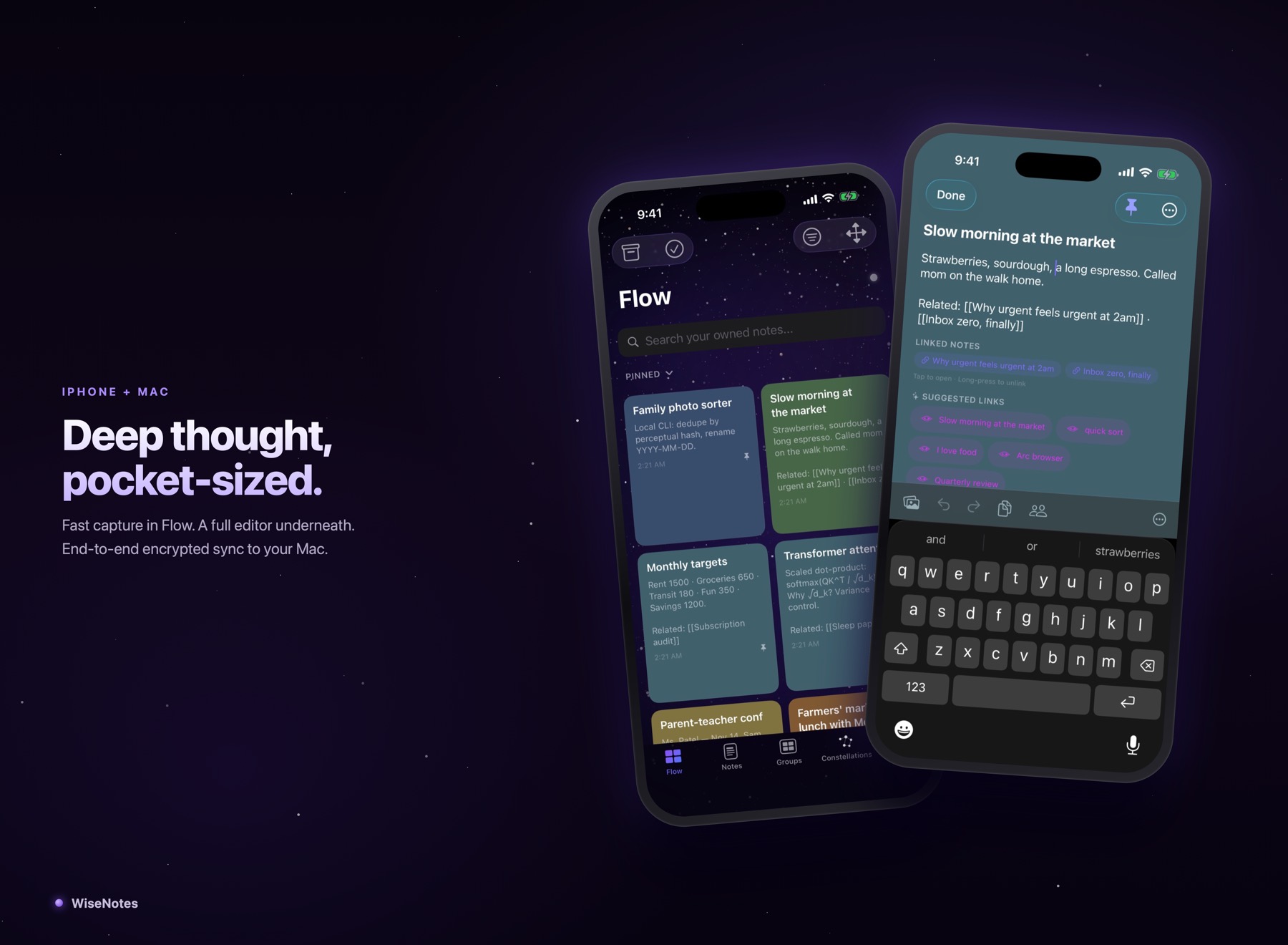
Notes, checklists, code — capture any of them in a keystroke, with colors, labels, and reminders when you want them. Everything saves instantly, on your device.
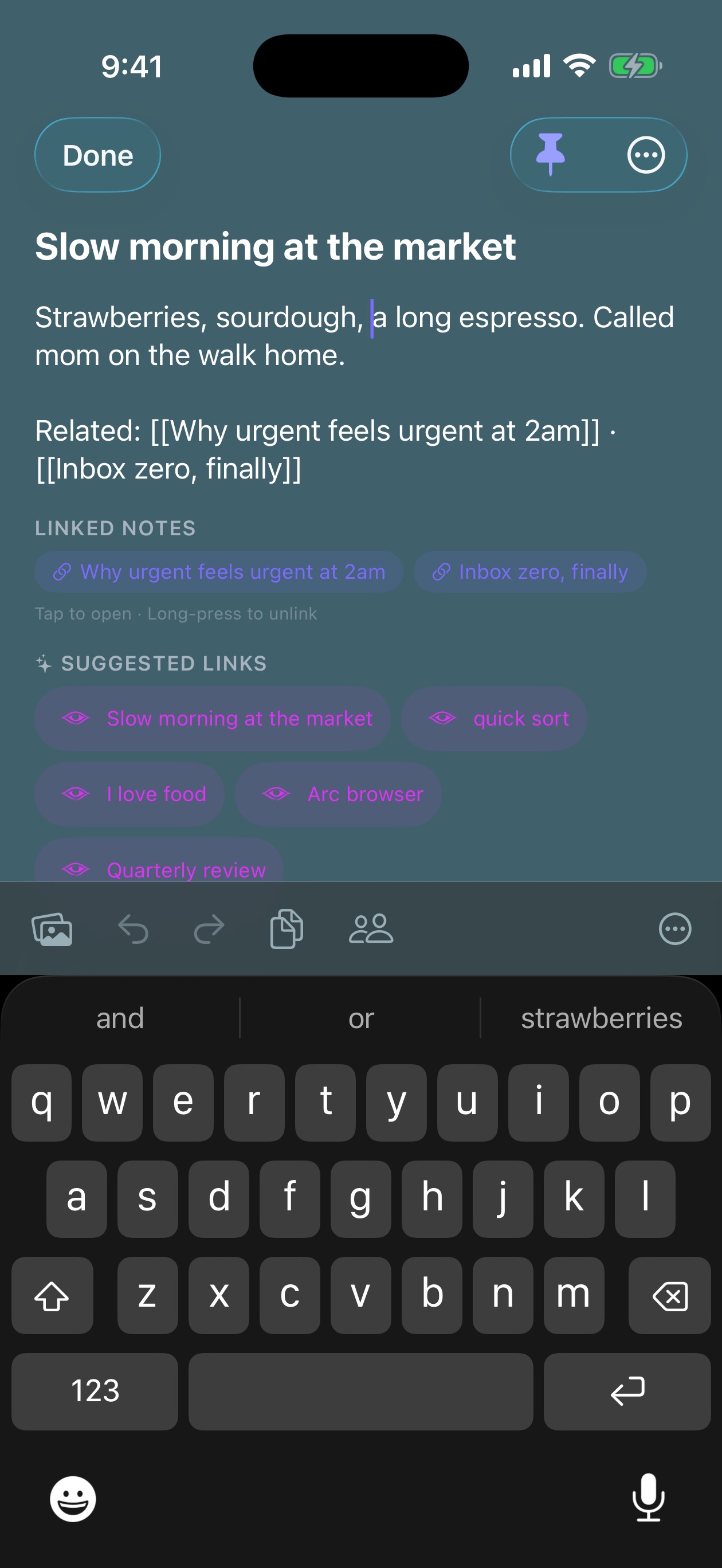
Type [[ to link notes yourself — or let the eye read what you wrote and suggest the connections you didn’t see. Every link becomes a thread between thoughts.
Groups become tinted constellations; links become the lines between stars. Flip to discovery mode and your whole library rearranges into a map of how you actually think.
A tiny constellation of make-believe notes. Hover to light up a thought’s connections; drag a star and watch it settle home.
Every key derives from your recovery phrase. It never leaves your hardware — not to us, not to anyone.
Notes are sealed on-device before they sync. What travels is unreadable without your key.
Our server just passes sealed boxes between your devices. No account, no email, nothing to breach.
Every pixel of app below is a genuine capture from the current build — we just gave it a stage.
An honest comparison — including the rows we don’t win.
| WiseNotes | Apple Notes | Google Keep | Notion | Obsidian | Bear | Standard Notes | |
|---|---|---|---|---|---|---|---|
| End-to-end encrypted by default | opt-in1 | sync only2 | opt-in1 | ||||
| No account — a phrase is your only key | Apple ID | Google account | account | account for sync | Apple ID | account | |
| Suggested links as you write | via plugins | ||||||
| Notes graph built in | Constellations | Graph view | |||||
| Encrypted sync across devices | Pro | iCloud1 | not E2EE | not E2EE | paid add-on | iCloud1 | free |
| Collaboration on encrypted notes | Pro | not E2EE3 | not E2EE | not E2EE | paid | ||
| Your files, full export, no lock-in | partial | Takeout | export tools | plain files | export | backups |
1 Requires turning on iCloud Advanced Data Protection, which is off by default. 2 Obsidian is local files; its E2EE sync is a paid add-on. 3 Apple’s shared notes are excluded from Advanced Data Protection’s end-to-end encryption. Comparison reflects our understanding as of mid-2026 — corrections welcome at support@wisenotes.io.
We built WiseNotes because our thinking lived in six apps and we trusted none of them — not with our ideas, and not to show us how those ideas fit together. We wanted one place that draws the map of what you actually think, and that nobody else can read: not the relay, not a company, not anyone without your phrase. This is that place. It’s where every note of ours lives now.
— the two of us building WiseNotes
Start free. Upgrade when you want your notes connected across devices.
For capturing ideas on your own.
For connected thinking across your devices.
Join before launch, keep launch pricing forever.
All notes include end-to-end encryption. Your data is always yours.
| Solo ThinkingFree | WiseNotes ProSubscription | Founding$34.99/yr locked | |
|---|---|---|---|
| iPhone & Mac apps | |||
| Link suggestions + Constellations | |||
| Checklists, groups, labels, reminders | |||
| Encrypted backups & export | |||
| End-to-end encrypted sync | |||
| Collaboration | |||
| Priority support |
Everything on one device is free forever — unlimited notes, link suggestions, Constellations, checklists, backups, full export. Pro adds end-to-end encrypted sync across your devices and collaboration.
Your phrase is the only key that exists. While you have a signed-in device you can view it any time in Settings. Lose every device and the phrase, and your synced notes can’t be decrypted — that’s the point: nobody, including us, can read them without it.
Always. One-tap backups and full library export are free-tier features — your notes never live anywhere you can’t take them from.
The iPhone beta is on TestFlight now — ask for access. The App Store release lands once review clears; join the list and you’ll hear the day it ships.
Drop us a line and we'll email you the day WiseNotes goes live — nothing else, ever. The app is free to download; Pro is a subscription with a 14-day free trial on the annual plan.
Free to download. Pro: $4.99/mo or $44.99/yr · 14-day free trial (annual) · founding members $34.99/yr, rate locked · cancel anytime.